 By
VST3 plugin + Desktop app for Windows · macOS soon · by BySFX
PocketCheck
Hear your mix on a real phone while you mix. Put PocketCheck on your master, scan the code - and your phone plays what your DAW plays. Or send the link to anyone, anywhere.
- No app on the phone
- Same Wi-Fi: direct, low latency
- Anywhere: just send the link
- Bluetooth & other outputs
- Monitors mute themselves
- LUFS, True Peak & spectrum on the phone
- Pay once
$69 $49 · launch offer · or $7 for 30 days
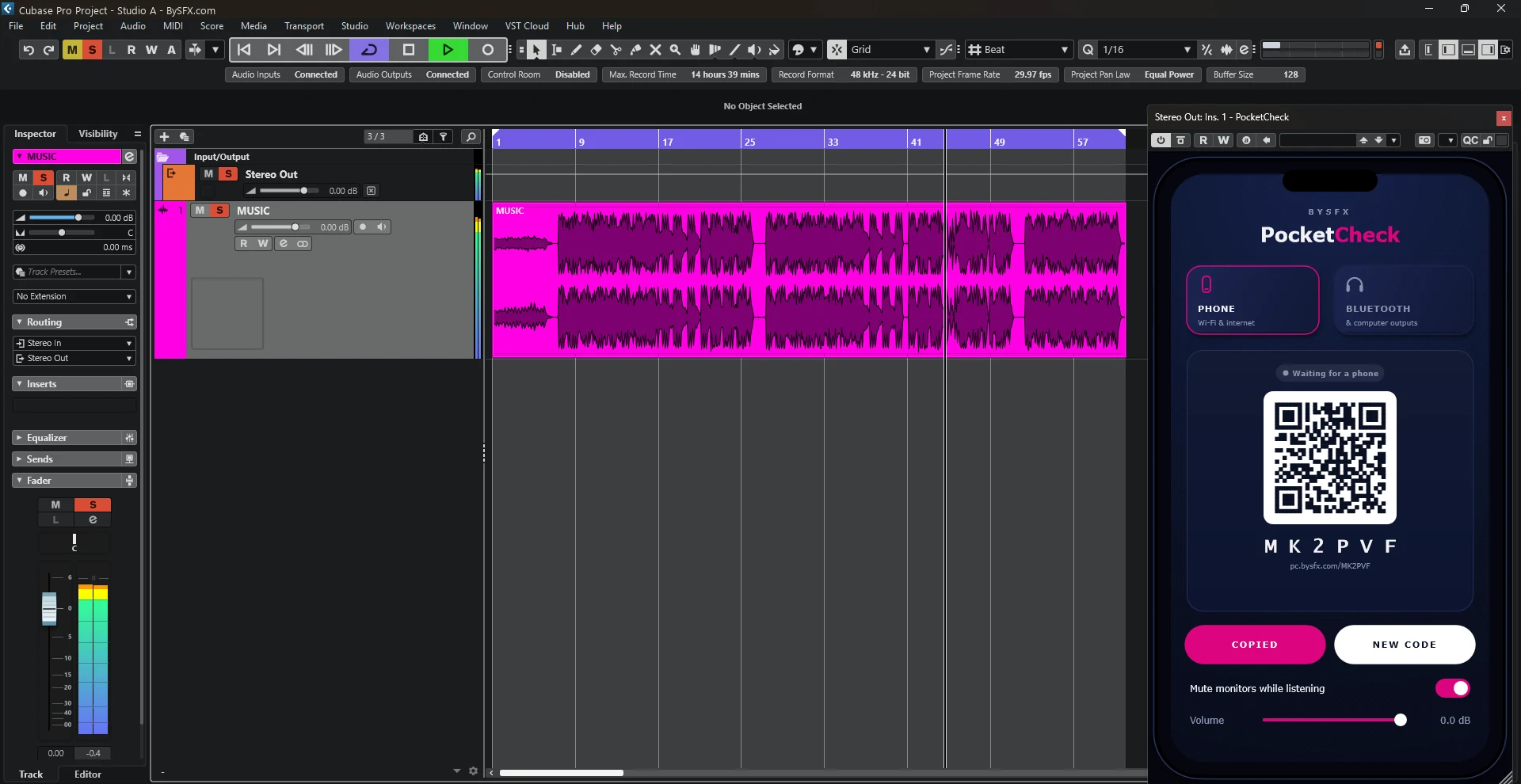
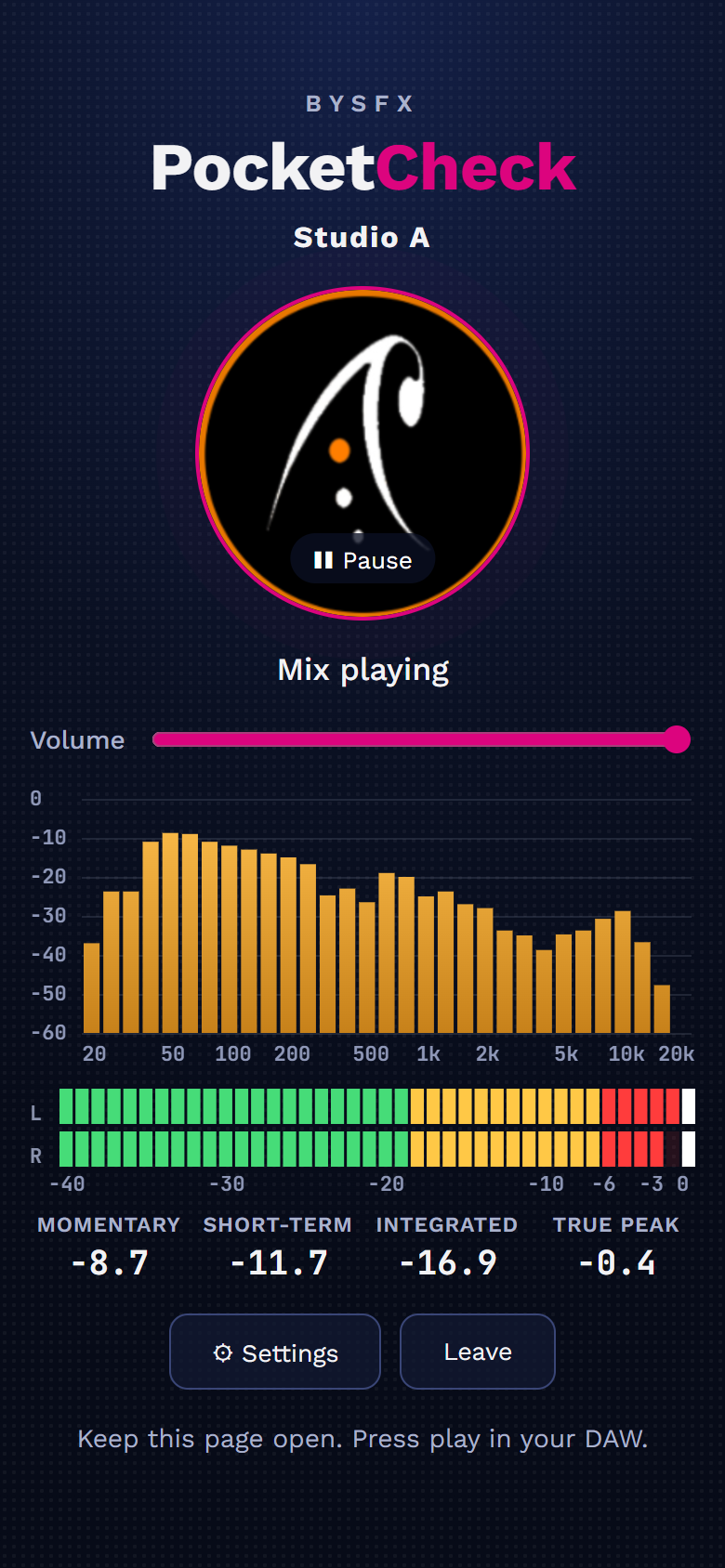
Cubase on the left, the phone on the right - the mix, the spectrum and the loudness, live.
01
Your mix, on your phone.
No bounce, no file transfer, no app to install. Every change you make in the mix is on the phone a moment later.
Insert
Put PocketCheck on the master - the last insert of your Stereo Out.
Scan
Point the phone camera at the QR code and tap once to start listening.
Play
Press play in your DAW. Your phone plays the mix; your monitors go quiet while it does.
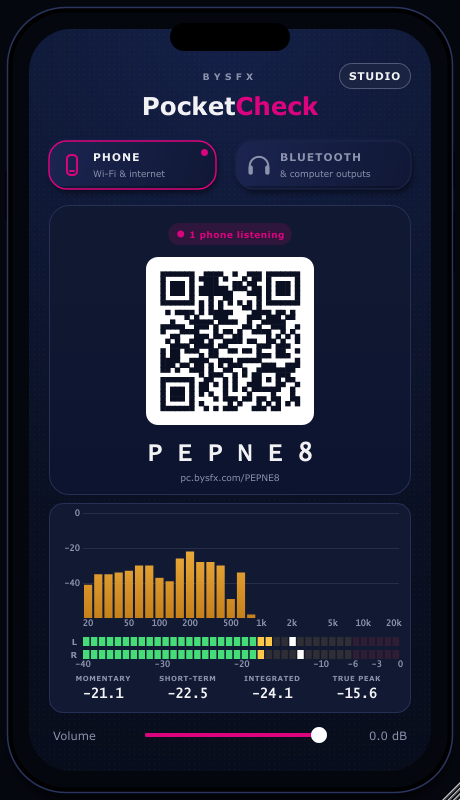
Paired with the phone - the phone plays the mix into them. Or straight from the computer, see 03.
02
Send the link. They listen - anywhere.
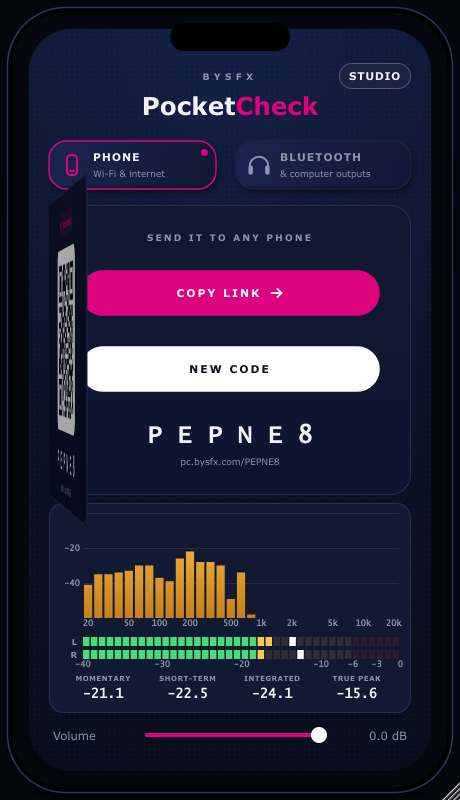
The code is also a link, like pc.bysfx.com/K7M2QX. Copy it, send it on WhatsApp or Viber, and your client, your singer or your producer hears the mix live in their phone browser - anywhere in the world.
Same Wi-Fi: lossless
On your studio Wi-Fi the audio goes straight over your network, uncompressed: the exact samples your DAW sends through the master - 32-bit float, at your project's sample rate. No codec, nothing converted on the way.
Anywhere else: direct when possible
Away from your network the phone first tries a direct link to your studio; if the network blocks it, the mix goes through our relay. Over the internet you choose the quality: Opus 256, Opus 510 or Lossless.
Your code - or a permanent link
By default every session gets a new code, and New code closes it for everyone instantly. Switch on Permanent link and your clients keep the same link for every session - only your computer can stream on it.
Nothing is recorded
The mix is streamed live and never stored. When the plugin closes, the stream stops - a permanent link just waits for your next session.
03
Bluetooth speaker? Two ways.
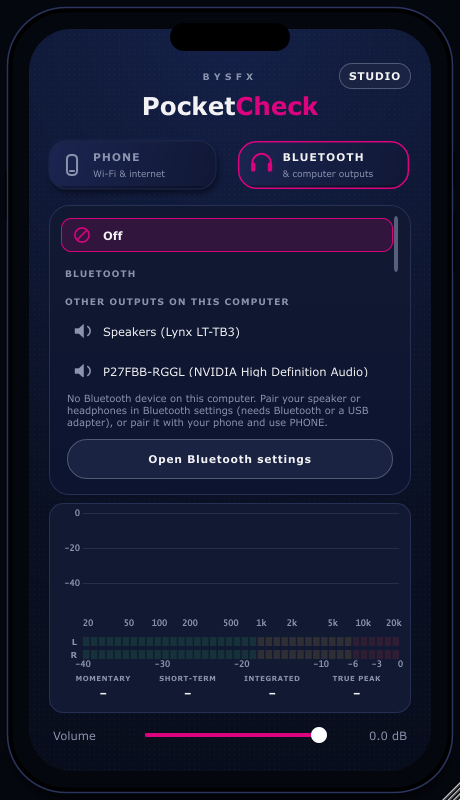
Through the phone - pair the speaker or headphones with your phone, open the link, and the phone plays the mix into them. Nothing to set up in the plugin.
Straight from the computer - no phone - if the computer has Bluetooth, open the BLUETOOTH tab and pick the speaker: Bluetooth headphones and speakers are listed first, then every other output of the computer, like a second pair of speakers.
The DAW keeps its own audio interface; PocketCheck sends a copy. Bluetooth adds its own delay of about 150-250 ms - that's Bluetooth, not us.
+
Also in the box: PocketCheck Desktop.
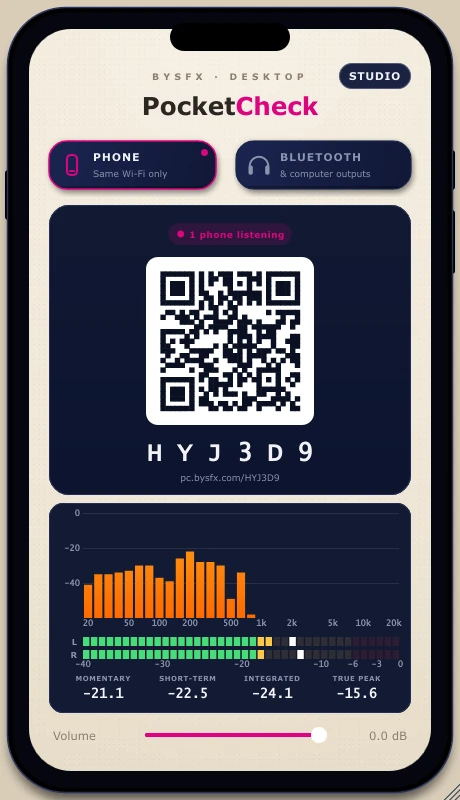
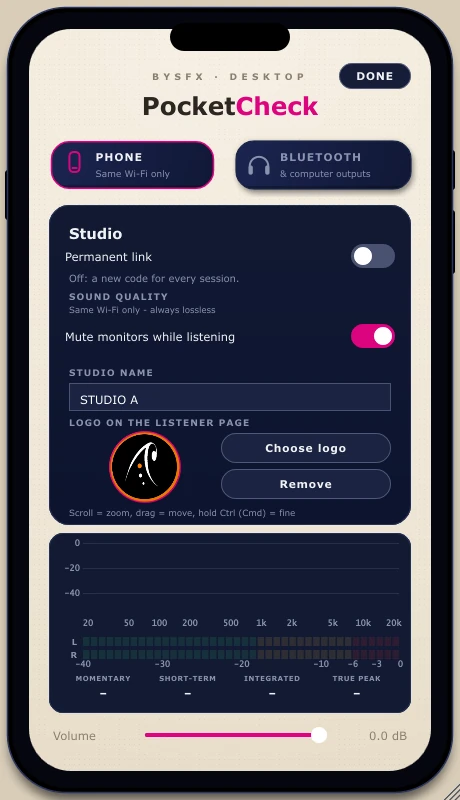
The same installer adds a small desktop app for everything the computer plays - a reference track on YouTube, a client's bounce, Spotify, a video, a DAW without plugin support. Same QR code, same phone page, same meters.
Desktop plays to phones on your own Wi-Fi - lossless, 32-bit float, straight over your network. It doesn't send over the internet; for listeners anywhere else, use the plugin in your DAW. Bluetooth and other computer outputs work too.
Same licence: activate once, use both. It follows the Windows default output by itself - the window title shows which one it hears.
04
On the phone: one tap.
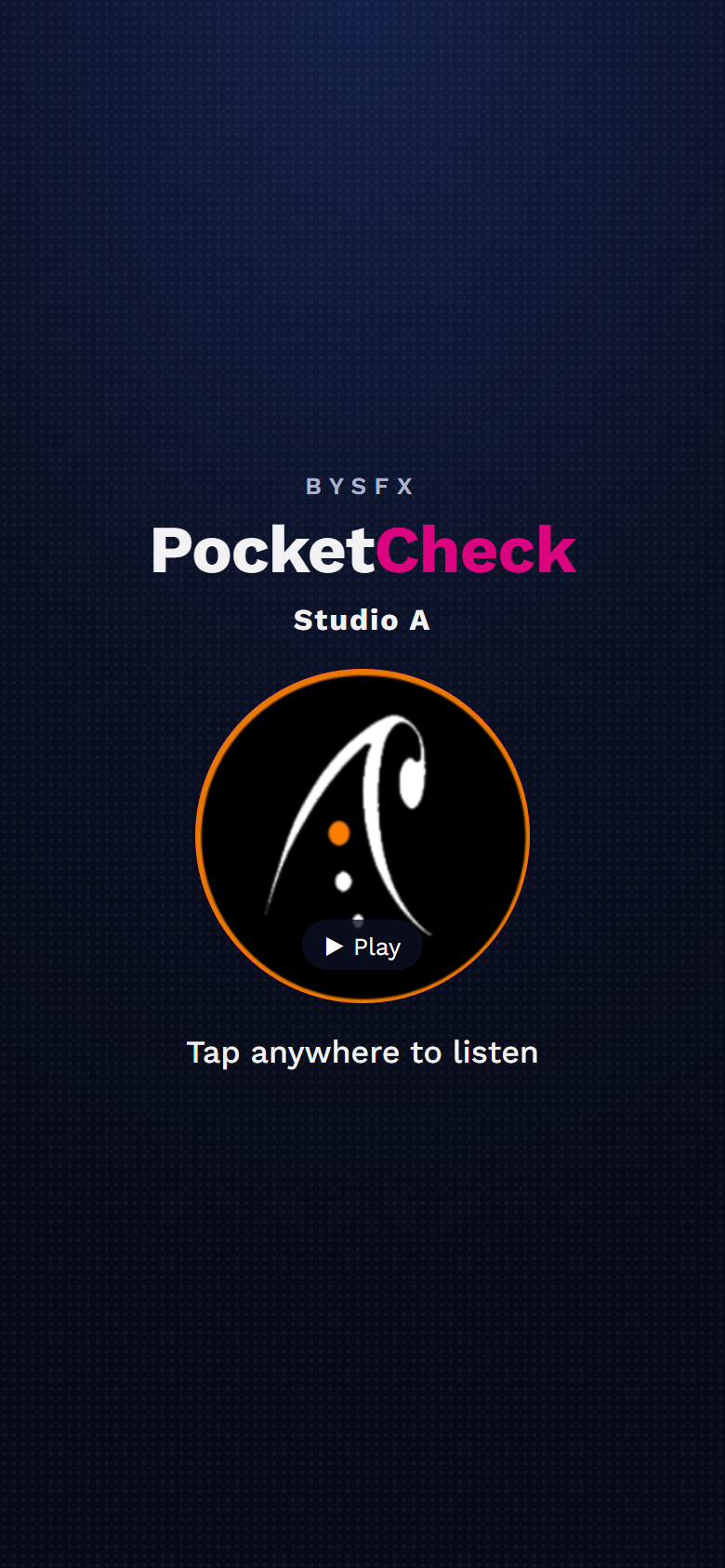
Browsers only start sound after a touch, so the whole screen is one big button - tap anywhere to listen, tap again to pause. Pausing also gives your monitors back.
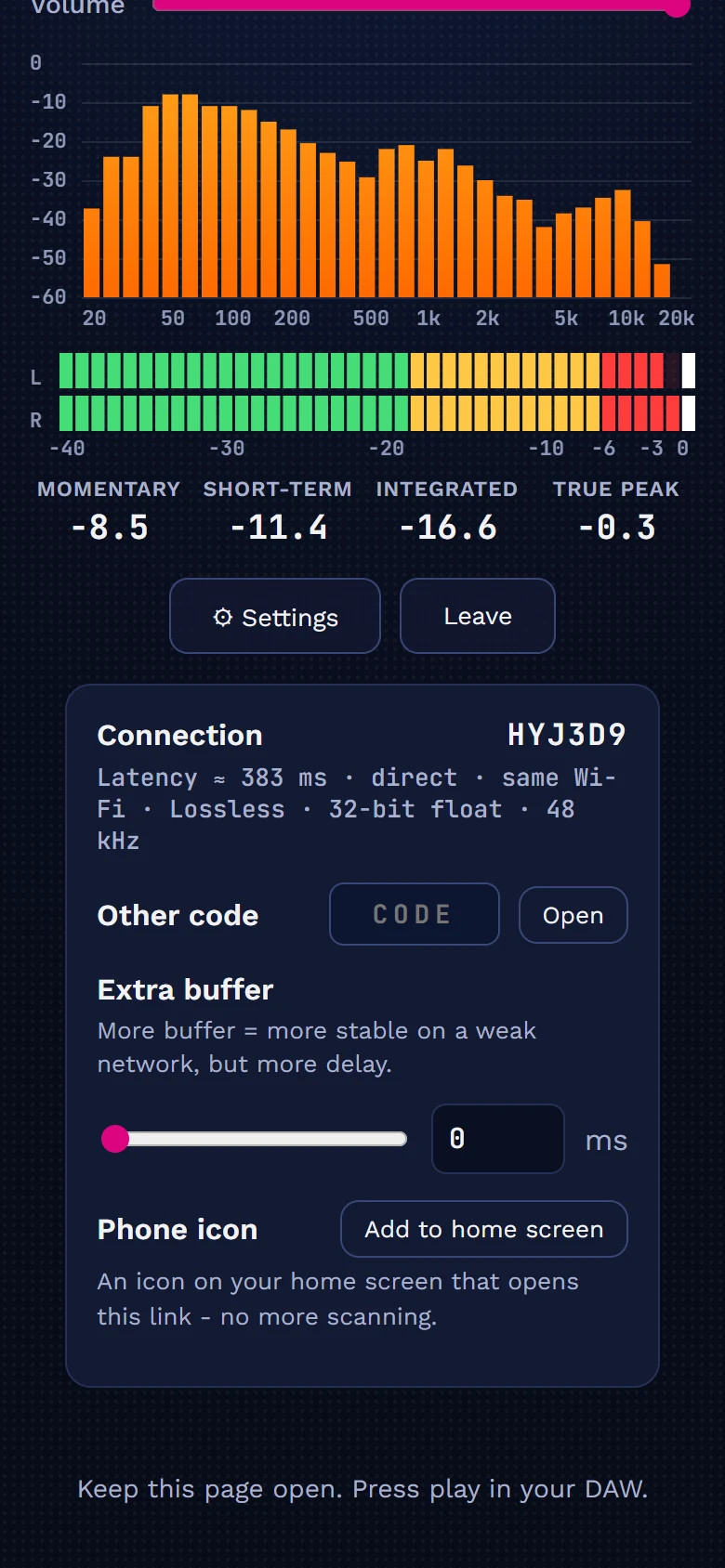
Real meters, measured in your DAW.
The same spectrum, L/R meter, LUFS and true peak are in the plugin window too - live, whether a phone listens or not.
The plugin measures the original mix - before anything is sent - and the phone just draws the numbers, in sync with the sound you hear.
- LUFS momentary, short-term and integrated - EBU R128 / ITU-R BS.1770, the same standard as your DAW's loudness meter
- True Peak in dBTP - 4× oversampling per BS.1770-4, so peaks between samples show up
- Spectrum in 31 third-octave bands, 20 Hz - 20 kHz
- L/R LED meter with peak hold - green, yellow, red
So your client sees the same loudness you see - not a guess from the compressed stream.
05
Setup guide
Install
Run the installer from your purchase email. Windows may show “Windows protected your PC”: click More info › Run anyway (the installer is not yet signed). It puts PocketCheck.vst3 in the standard VST3 folder, so every VST3 DAW finds it. If your DAW was open, rescan plugins (or restart it).
Put it on the master - last slot
PocketCheck must hear the whole mix, so it goes on the master bus, after everything else:
- Cubase / Nuendo - MixConsole › Stereo Out › Inserts, last (post-fader) slot
- Reaper - Master track › FX › VST3: PocketCheck
- Studio One - Main out › Inserts
- Ableton Live - Master track › Plug-ins › PocketCheck
- FL Studio - Mixer › Master › last slot
- Bitwig - Master track › device chain end
On a single track it only hears that track - and the track's mute comes after the insert, so a muted track would still play on the phone.
Activate
Open the plugin window, paste the serial number from your email (PCK-… or PCKP-… for a pass) and click Activate. It needs internet once. The same licence also activates PocketCheck Desktop.
Allow the network (Windows)
The first time, Windows may ask whether your DAW may use the network. Allow it for private networks - that is what lets the phone connect directly over your Wi-Fi.
Studio
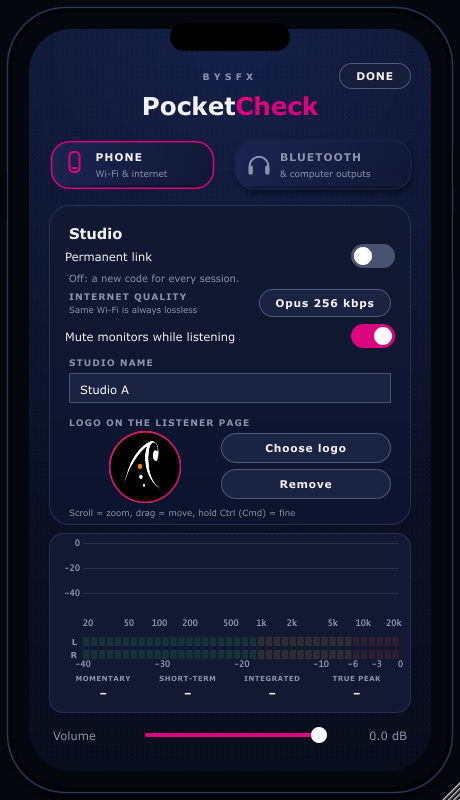
Click STUDIO in the plugin. Permanent link: the same link every session. Internet quality: Opus 256 (default), Opus 510 or Lossless for listeners away from your Wi-Fi (Lossless needs a direct link; through our relay it plays as Opus 510). Add your studio name and a logo - any picture; scroll to zoom, drag to move, hold Ctrl (Cmd) for fine steps. Mute monitors while listening is here too.
Listen
Scan the QR code with the phone camera (or open the link), tap the screen once, press play in the DAW. Keep the page open; the screen stays awake by itself. With a permanent link, Settings › Add to home screen puts a PocketCheck icon on the phone - no more scanning; another session's code goes in Settings › Other code.
If it stutters
Open Settings on the phone page and raise Extra buffer (0-1000 ms) until it plays smoothly. It's remembered on that phone. The Connection line shows whether you're direct on the same Wi-Fi or going through the internet.
06
Own it, or take it for a month.
No subscription either way. Both options include the plugin and PocketCheck Desktop, every feature, on up to two computers.
Full licence · launch offer
PocketCheck
$69$49one time
- Yours to keep - pay once, no subscription
- Plugin (VST3, Windows) + PocketCheck Desktop
- Same Wi-Fi lossless; anywhere with a link
- Permanent link, your studio name and logo on the phone
- Meters: LUFS, true peak, spectrum - plugin and phone
- Up to 2 computers
30-day pass
For one project
$730 days
- Everything in the full licence, for 30 days
- One payment - nothing renews, nothing to cancel
- When it ends: buy another pass, or the full licence
- Up to 2 computers
Listening on the same Wi-Fi is unlimited. Listening over the internet (plugin) through our relay includes up to 20 hours a month per computer - more than enough for client reviews; the direct link (no relay) has no limit. Up to 4 phones listen at once (more on request). PocketCheck Desktop plays to phones on your Wi-Fi only. Prices in USD; your bank converts if needed.
07
Questions
Do I need an app on the phone?
No. Any phone with a browser works - iPhone or Android. Scan the code or open the link, tap once, listen.
Why do I have to tap the screen?
Every phone browser blocks sound until you touch the page - Apple and Google don't let any website start audio by itself. One tap anywhere and it plays.
How big is the delay?
On the same Wi-Fi it's direct and low - most of what's left is the phone's own audio output, which is lower on iPhones than on older Androids. Through the internet a bit more is buffered so it doesn't stutter. Either way it's made for checking a mix, not for recording through.
Can someone listen from somewhere else?
Yes - send them the link. While your plugin is open they hear your mix live, on Wi-Fi or mobile data. With a permanent link they keep the same link for every session. Click New code to close the session for everyone who has the old link.
How many phones can listen at once?
Up to 4 phones per session, on the same Wi-Fi or anywhere. Need more for a bigger room or team? Write to support@bysfx.com.
Does it need internet on the same Wi-Fi?
Yes. The phone page and the connection setup always go through our service at pc.bysfx.com, so the computer and the phone both need internet - even on the same Wi-Fi. Once connected on the same Wi-Fi, the sound itself goes straight over your network.
Is it really the same sound as my DAW?
On the same Wi-Fi, yes: the phone receives the exact samples of your master, bit for bit - 32-bit float at your project's rate, no codec. Keep the phone page volume at maximum to keep it bit-exact. After that the phone itself takes over: most phones run their output at 48 kHz and resample anything else, and its speaker or headphones colour the sound - the same as with any music you play on it. Over the internet the default is Opus 256 (transparent to most ears); switch the plugin to Lossless for bit-exact there too - it plays lossless whenever the phone gets a direct link, and as Opus 510 when it has to go through our relay.
Are the meters accurate?
Yes. They are measured by the plugin on the original signal, not on the stream: LUFS by EBU R128 / ITU-R BS.1770 and True Peak by BS.1770-4 with 4× oversampling, the same standards DAW loudness meters use. Put PocketCheck in a post-fader slot of the master so it measures exactly what your master meter shows. Integrated loudness starts when a phone connects and resets after two seconds of silence.
Does it change my mix?
No. Your DAW's output to the interface is untouched; PocketCheck sends a copy. The only thing it does to your output is mute the monitors while a phone listens (switch that off with Mute monitors while listening). Exports and bounces are never muted.
Which DAWs and formats?
VST3 on Windows: Cubase, Nuendo, Reaper, Studio One, Ableton Live, FL Studio, Bitwig and other VST3 hosts. The installer also adds PocketCheck Desktop for everything else the computer plays. macOS (VST3 and AU for Logic) and AAX for Pro Tools are on the way.
What are the 20 internet hours?
Listening on the same Wi-Fi as the computer is unlimited. Listening from elsewhere goes either directly to your computer (also unlimited) or, when a network blocks that, through our relay - that part includes up to 20 hours a month per computer. The plugin shows how much you've used (STUDIO panel) and warns you near the end. Need more for a big project? Write to support@bysfx.com.
How does the 30-day pass work?
You pay $7 once and get a serial that works for 30 days from activation - every feature, plugin and Desktop, on up to 2 computers. Nothing renews automatically. When it ends, PocketCheck tells you; buy another pass or the full licence ($49 at launch, yours to keep).
On how many computers can I use it?
Two - the same serial activates both.
Can I use it for anything my computer plays?
Yes - that's PocketCheck Desktop, included with every licence and pass: a mastered song in a player, a reference on YouTube, a client's bounce. Same QR code, same phone page, same meters - to phones on your own Wi-Fi (Desktop doesn't send over the internet; the plugin does).
Is my mix recorded or stored anywhere?
No. It's streamed live and never saved. When the plugin closes, the stream stops - a permanent link just waits for your next session.
Hear it where people will.
What you need:
- Windows 10/11, 64-bit
- VST3 host
- Internet on the computer and the phone
- Any phone with a browser
- macOS (VST3 + AU) - coming soon