 By
ByWindows and macOS · VST3, AU and standalone · by BySFX
 GROM - cinematic sound design instrument for Windows and macOS
A sound design instrument for taking sounds apart, bending them and stacking them into new ones.
- 4 layers
- 29 effects
- Every knob automatable
- Modulation designer
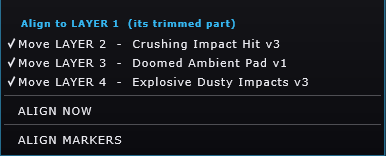
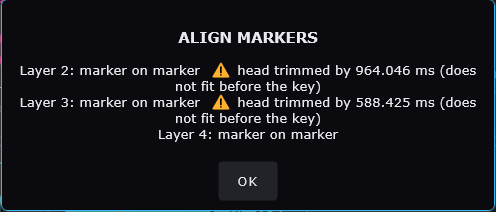
- Marker align
- Recorder
- One purchase
01
Play
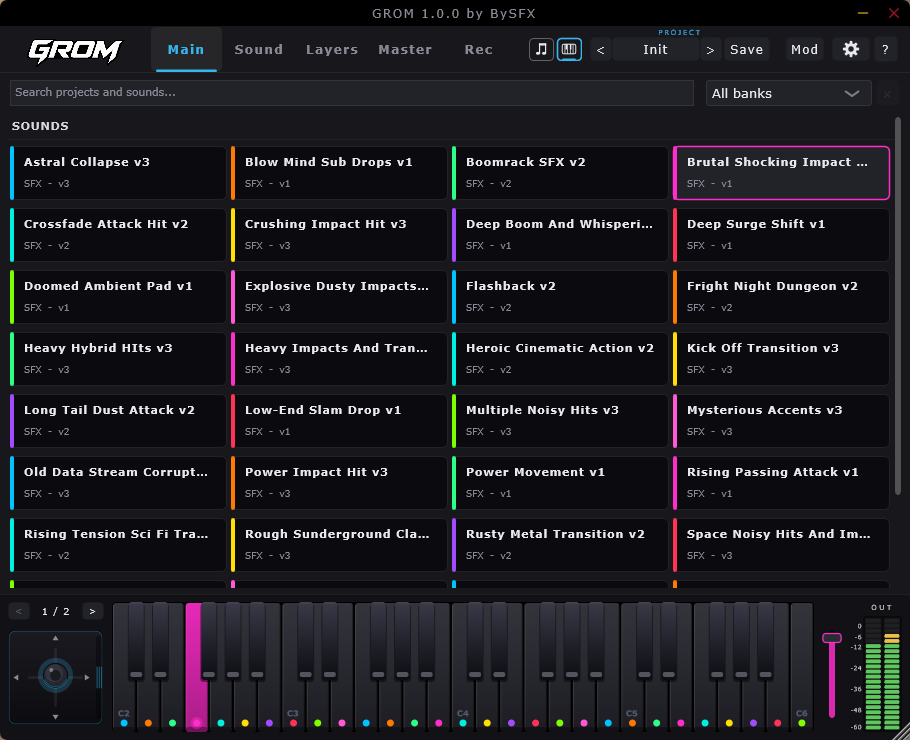
One keyboard, two ways to play
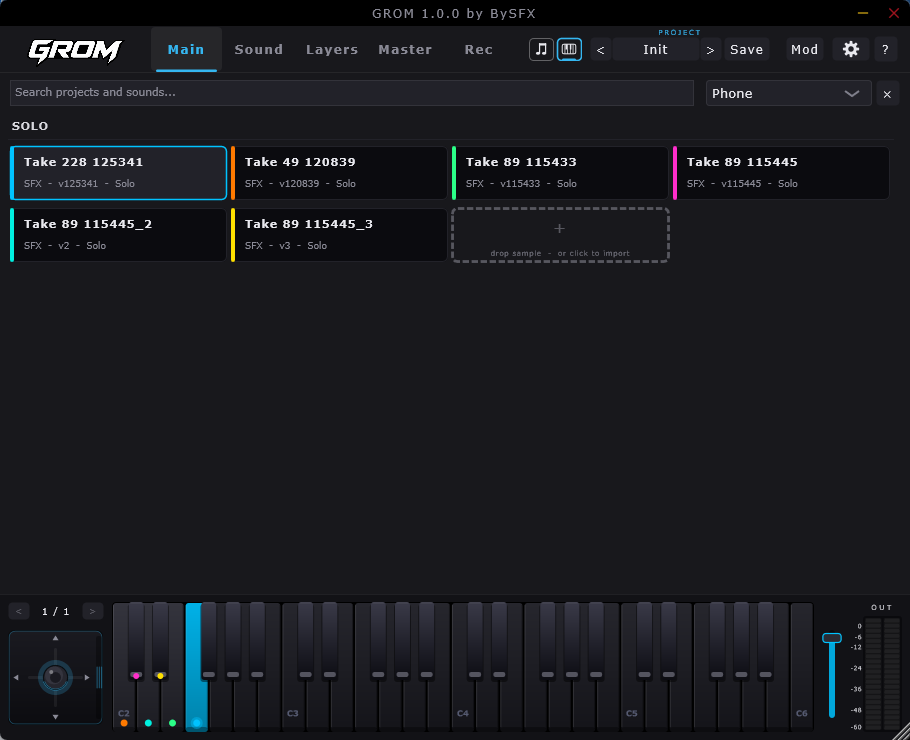
Click any sound in the browser and the keyboard along the bottom plays it straight away.
Every key is a different sound and carries its own colour, so a whole bank plays from one keyboard.

The note button spreads one sound across the whole keyboard - every key the same colour, played by pitch like any other instrument.

The two buttons in the header switch between solo and instrument mode and show or hide the extra keyboard, so the extra keyboard only takes space when you want it.
The joystick, and R / W
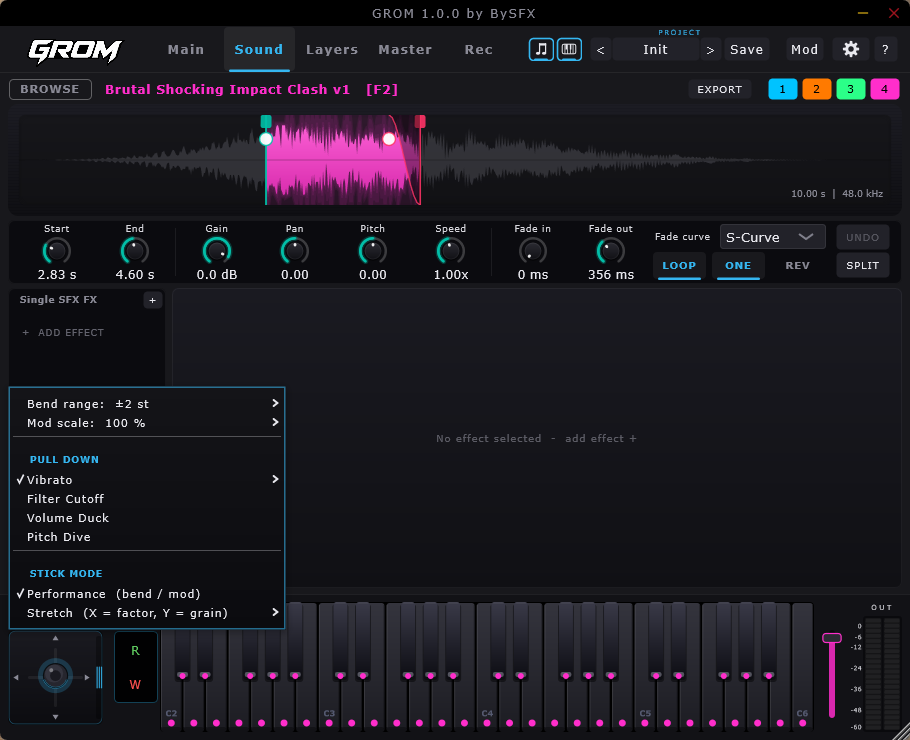
The stick bends and modulates while you play. Its menu sets the bend range and the mod scale, picks what the downward pull does - vibrato, filter cutoff, volume duck or pitch dive - and switches the stick between performance (bend and mod) and stretch, where X is the factor and Y is the grain.
W writes your moves as automation while you play and R plays them back. The same pair sits on every effect, so any knob in GROM can be recorded, replayed or learned to a MIDI controller.
02
Sound
Trim it, shape it, cut it at the hit
The waveform and the row of controls under it are the whole editor for one sound.
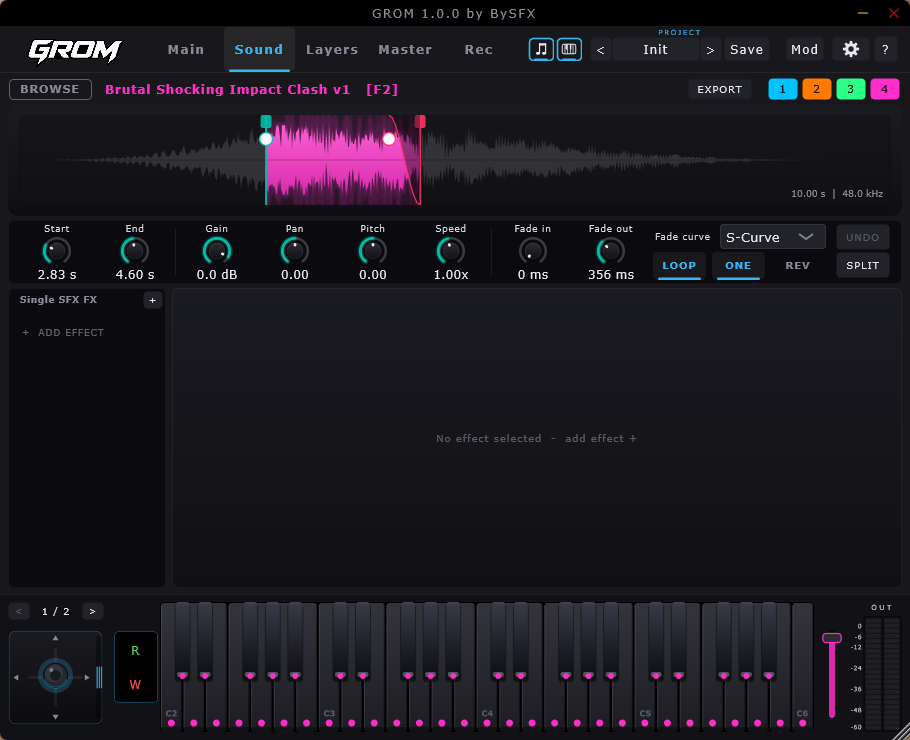
- Trim with the start and end handles
- Split into parts, then mute or reverse any part
- Fade in and out with four curves: linear, exponential, logarithmic and S-curve
- Gain, pan, pitch and speed
- LOOP, ONE shot and REV
- The buttons 1 to 4 above the waveform send the sound to layer 1 to 4
- EXPORT writes the edited sound, with its effects, as a new file
03
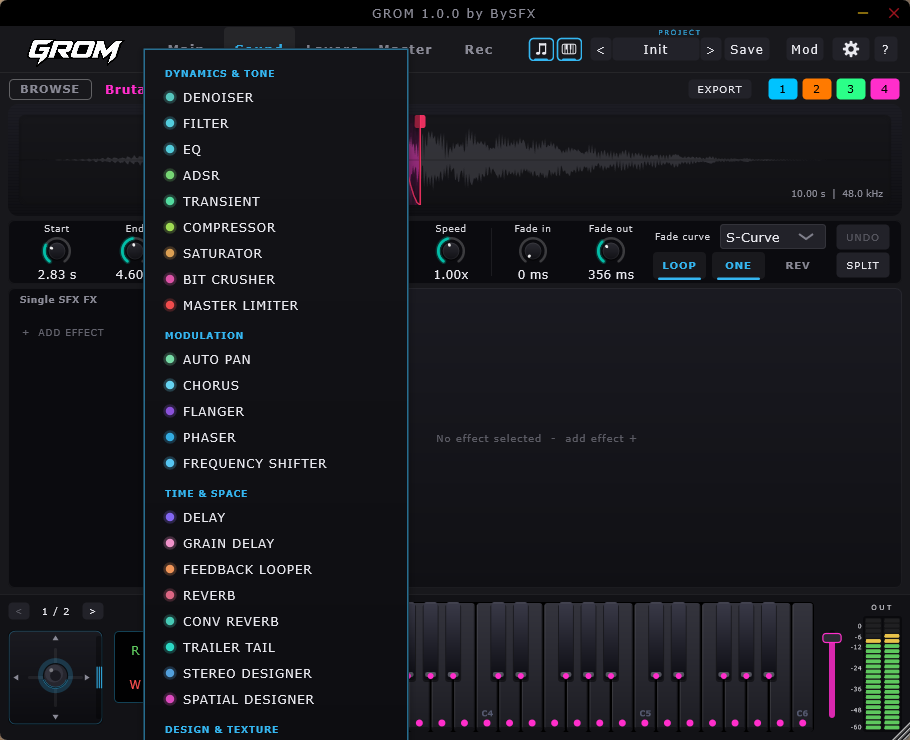
29 effects in five groups
Every effect draws what it is doing
Each module draws the signal going through it: the spectrum, a curve, the grains or the room. You can see what a knob changes while you turn it.
Click ADD EFFECT and the menu opens with all five groups. Every effect has its own presets, an ON switch, a dry and wet mix, and R / W automation, and a chain holds up to eight in any order - on a sound, on every layer and on the master.
Each picture below was taken with a preset loaded and a sound playing.
599
Factory presets, in four groups
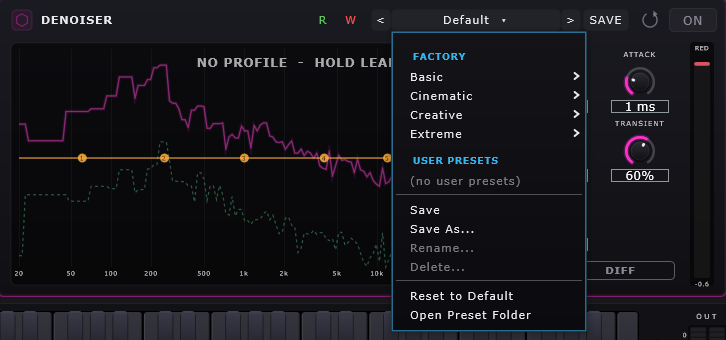
Every effect comes with Basic, Cinematic, Creative and Extreme presets - five in each group, seven for Delay and Reverb. Step through them with the arrows while the sound plays, or open the menu to jump to one.
Save your own under User presets, rename or delete them, or go back with Reset to Default.
Dynamics and tone 9
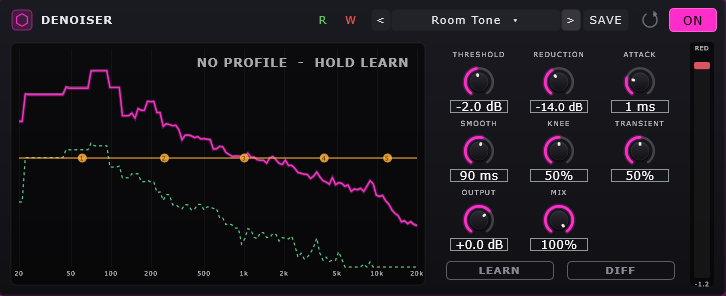
Denoiser Room Tone
Spectral denoiser. The pink curve is what comes in, the dotted green what goes out, and the orange line is a profile you drag by hand. LEARN takes a noise print, DIFF plays only what is removed.
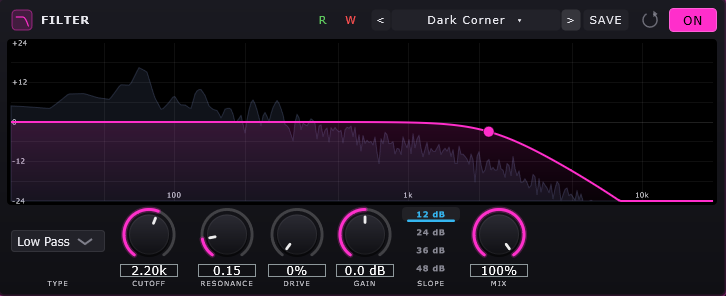
Filter Dark Corner
Eight types - low pass, high pass, band pass, peak, low and high shelf, notch and comb - with the live spectrum behind the response. Cutoff, resonance, drive and slopes from 12 to 48 dB.
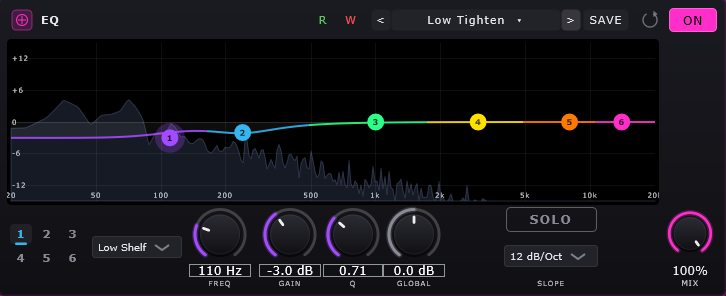
EQ Low Tighten
Six bands dragged straight on the curve - bell, low and high shelf, high and low pass or notch - each with its own colour, and SOLO for finding the exact frequency.
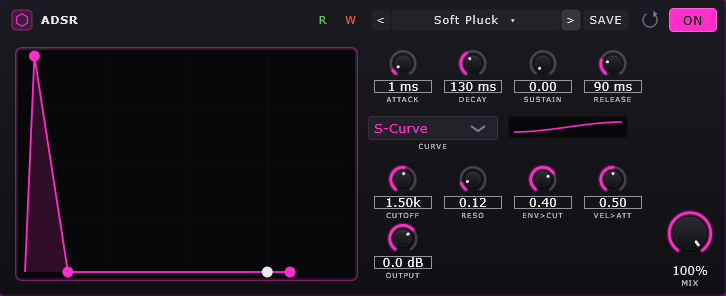
ADSR Soft Pluck
An envelope shaper: attack, decay, sustain and release drawn as a graph, with linear, exponential or S-curve shape and a filter the envelope can open and close.
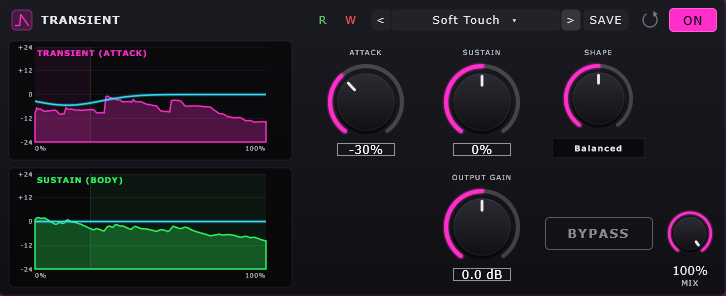
Transient Soft Touch
Attack and sustain as two separate graphs: push the hit forward or pull the tail back, with a shape control and output gain.
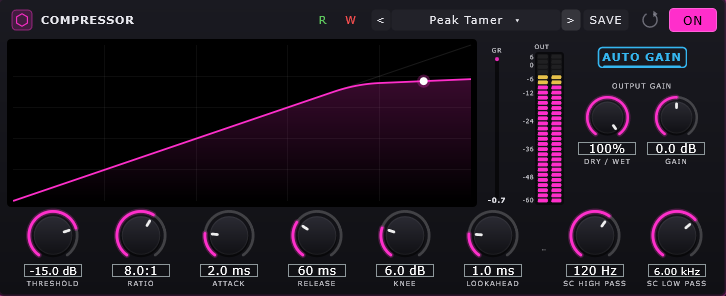
Compressor Peak Tamer
Transfer curve, gain reduction meter, lookahead, auto release and AUTO GAIN, with a high and a low pass filter on the side chain.
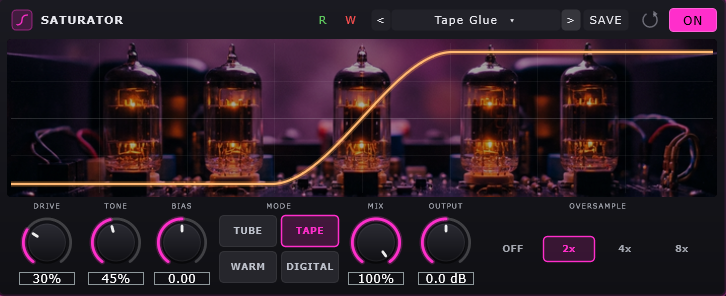
Saturator Tape Glue
Tube, tape, warm and digital, with drive, tone, bias and up to 8x oversampling, and the transfer curve drawn over the valves.
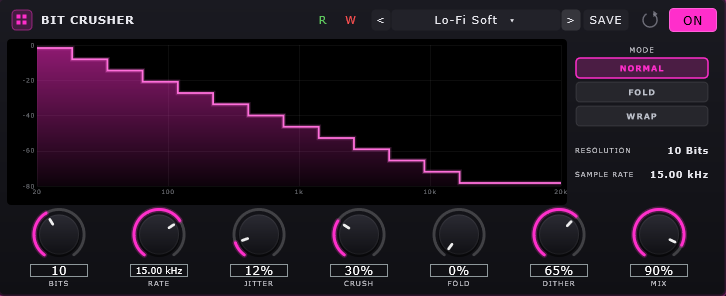
Bit Crusher Lo-Fi Soft
The staircase is the quantisation: bit depth, sample rate, jitter, crush and dither, in normal, fold or wrap mode.
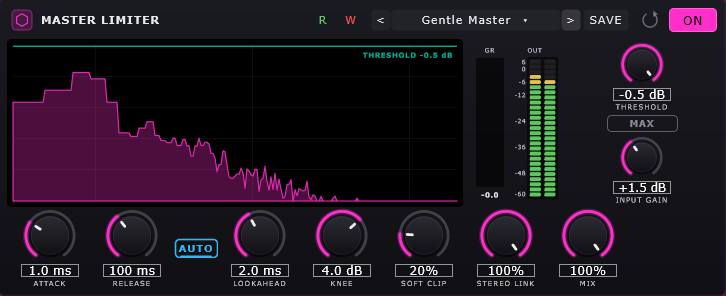
Master Limiter Gentle Master
Brickwall limiter with threshold, lookahead, knee, soft clip, stereo link and auto release, drawn over the live spectrum with gain reduction and output meters.
Modulation 5
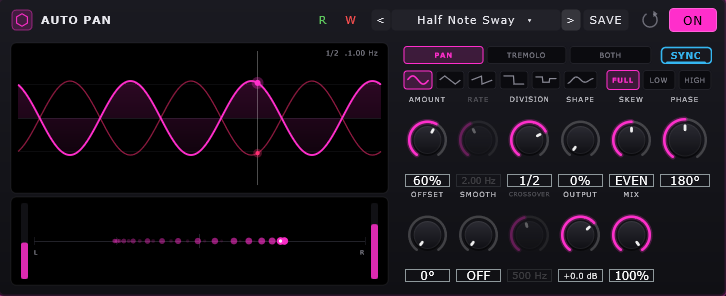
Auto Pan Half Note Sway
Pan, tremolo or both, free or synced to the host, with six LFO shapes and a range that can move only the lows or only the highs. The position trail is drawn as it moves.
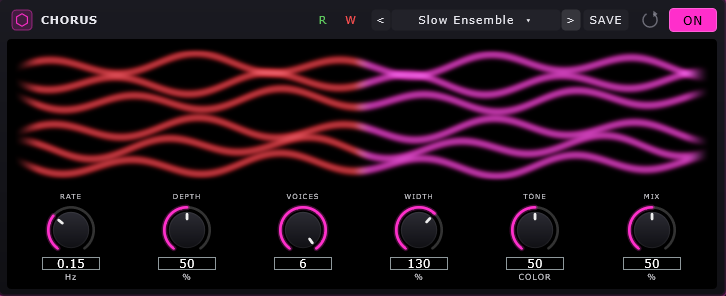
Chorus Slow Ensemble
Up to six voices drawn as separate lines, so you can see the width. Rate, depth, width and tone.
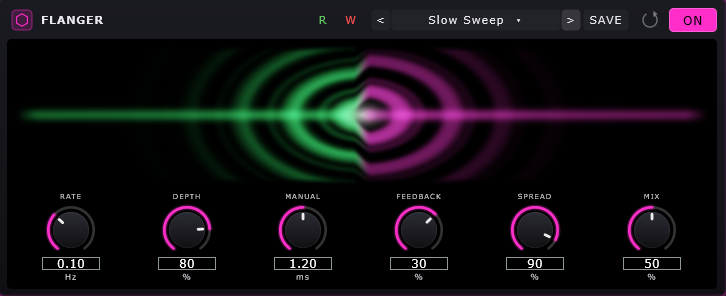
Flanger Slow Sweep
Rate, depth, manual delay, positive or negative feedback and stereo spread, with the sweep drawn as it moves.
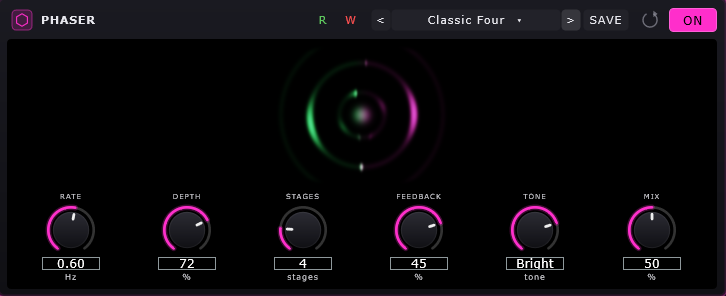
Phaser Classic Four
Two to twelve stages with the rotation drawn as a ring. Rate, depth, feedback and tone.
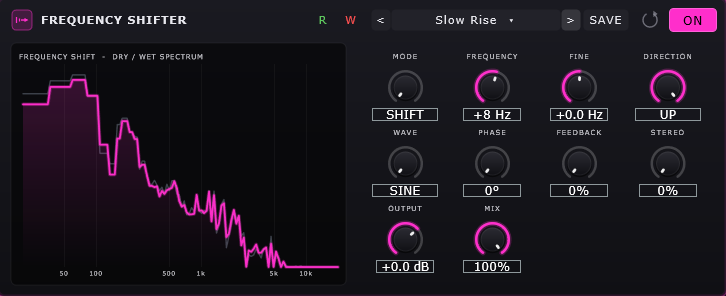
Frequency Shifter Slow Rise
Shift or ring mode, up, down or both ways: the whole spectrum slides and harmonics stop being harmonics. Feedback and stereo spread, with the dry and wet spectrum overlaid.
Time and space 8
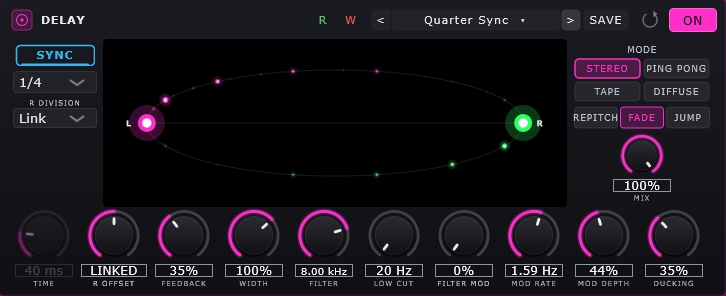
Delay Quarter Sync
Stereo, ping pong, tape and diffuse, synced or free, with the repeats drawn as an orbit. Low and high cut, modulation, ducking and its own division for the right channel.
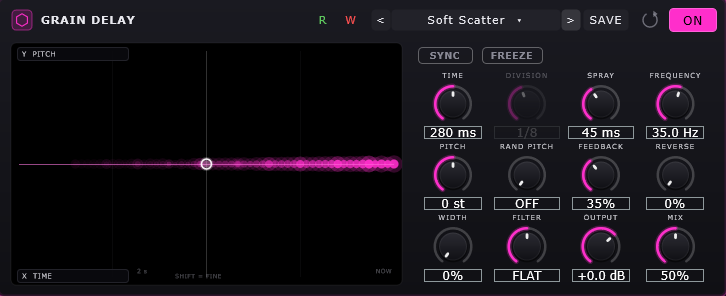
Grain Delay Soft Scatter
Every repeat is a cloud of grains: spray, pitch, random pitch, freeze and reverse, drawn as the grains land.
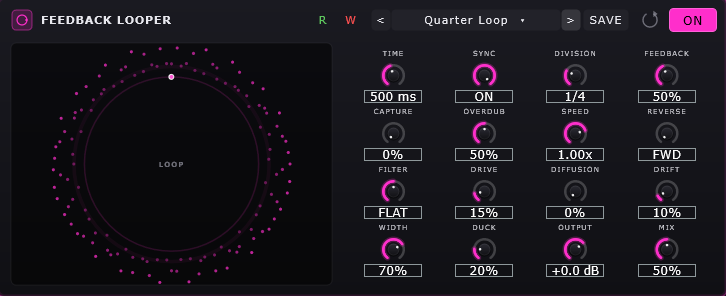
Feedback Looper Quarter Loop
A loop that keeps feeding itself, drawn as a circle. Capture, overdub, speed, reverse, diffusion and drift.
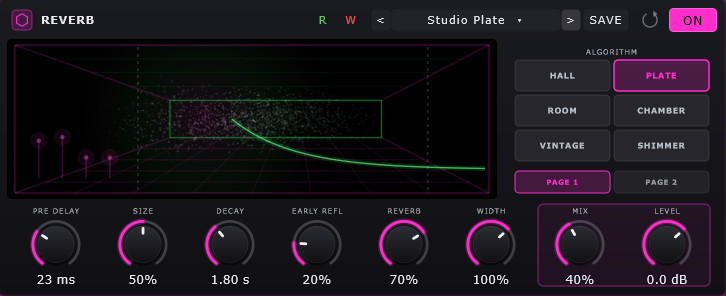
Reverb Studio Plate
Hall, plate, room, chamber, vintage and shimmer, with the room and the decay drawn together.
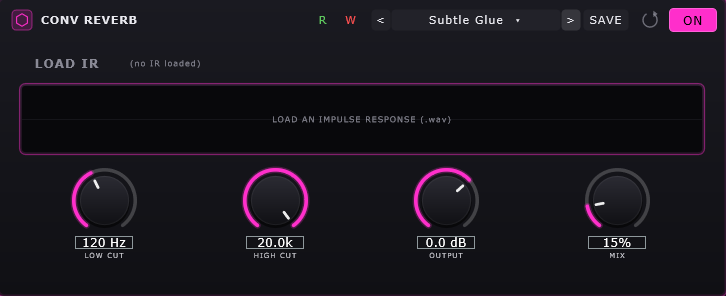
Conv Reverb Subtle Glue
Load your own impulse response and the space is exactly that room, with low cut, high cut and mix.
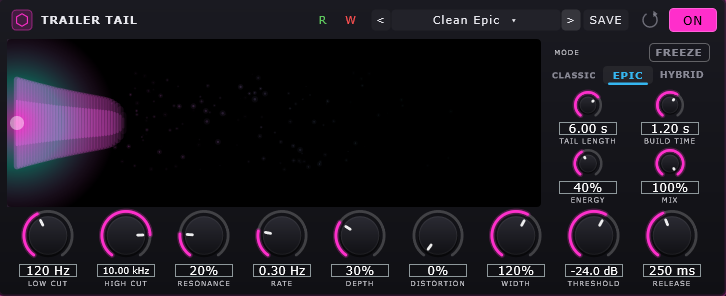
Trailer Tail Clean Epic
Long cinematic tails in classic, epic or hybrid mode: tail length up to 15 seconds, build time, energy, movement, ducking and freeze.
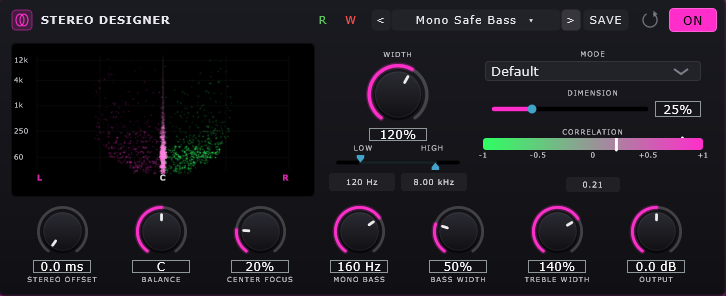
Stereo Designer Mono Safe Bass
Separate width for the lows and the highs, mono below a frequency you choose, center focus and balance, with a correlation meter and a scatter plot.
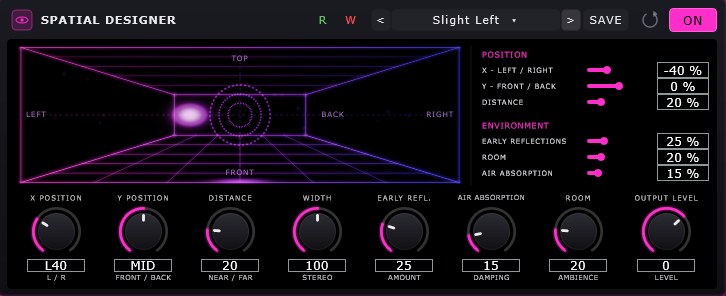
Spatial Designer Slight Left
Place the sound in a room you can see: left and right, front and back, distance, reflections, air and ambience.
Design and texture 6
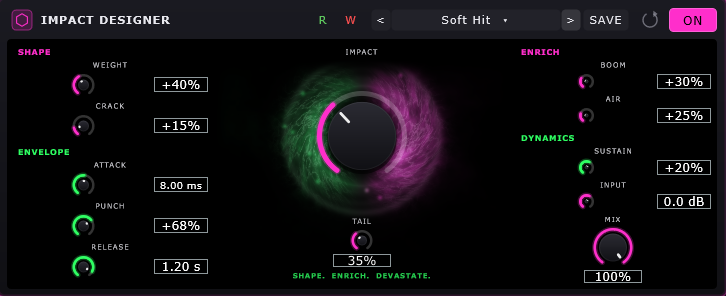
Impact Designer Soft Hit
Builds a hit out of shape, envelope, enrich and dynamics: weight, crack, punch, boom and air.
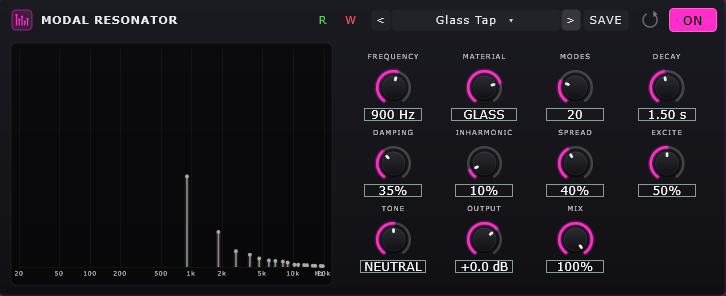
Modal Resonator Glass Tap
Rings the sound through a material - wood, membrane, metal, glass or bell - with frequency, up to 64 modes, decay, damping and the partials drawn.
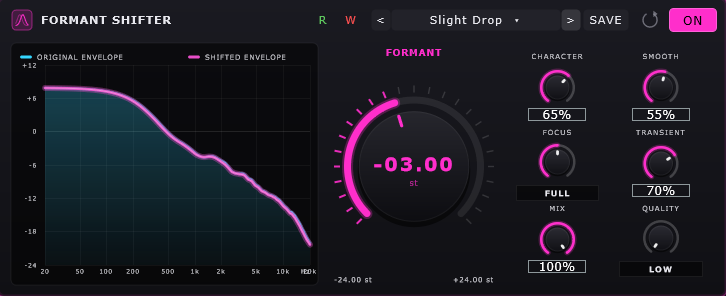
Formant Shifter Slight Drop
Moves the formants without moving the pitch. The original and the shifted envelope are drawn on top of each other.
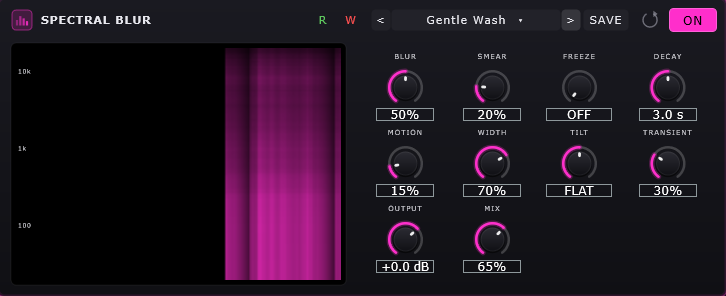
Spectral Blur Gentle Wash
Smears the spectrum in time: blur, smear, freeze and decay, with the smearing drawn as it happens.
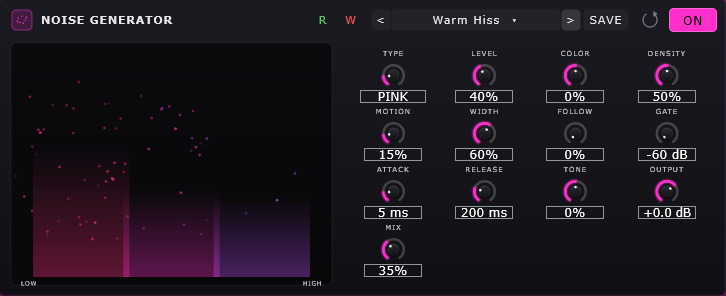
Noise Generator Warm Hiss
Adds its own noise that follows the signal: white, pink, brown, blue, violet, dust or digital, with gate, attack and release.
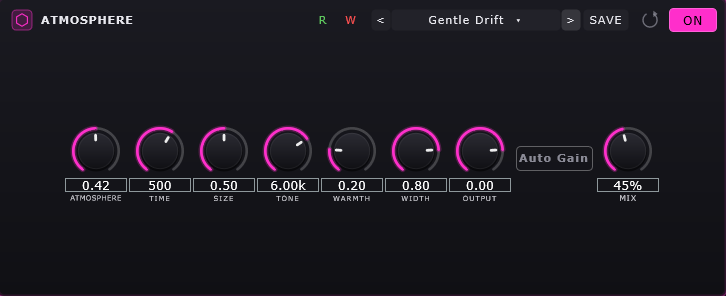
Atmosphere Gentle Drift
A bed of space around the sound: amount, time, size, tone, warmth and width, with auto gain.
Routing 1
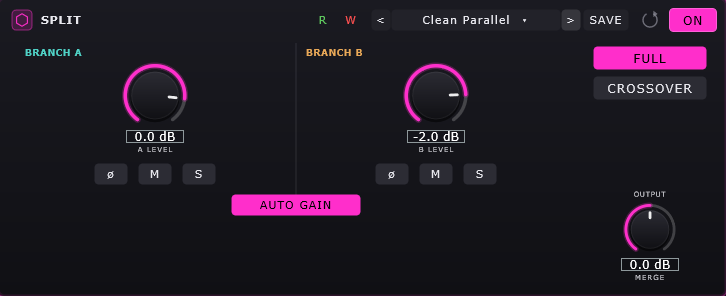
Split Clean Parallel
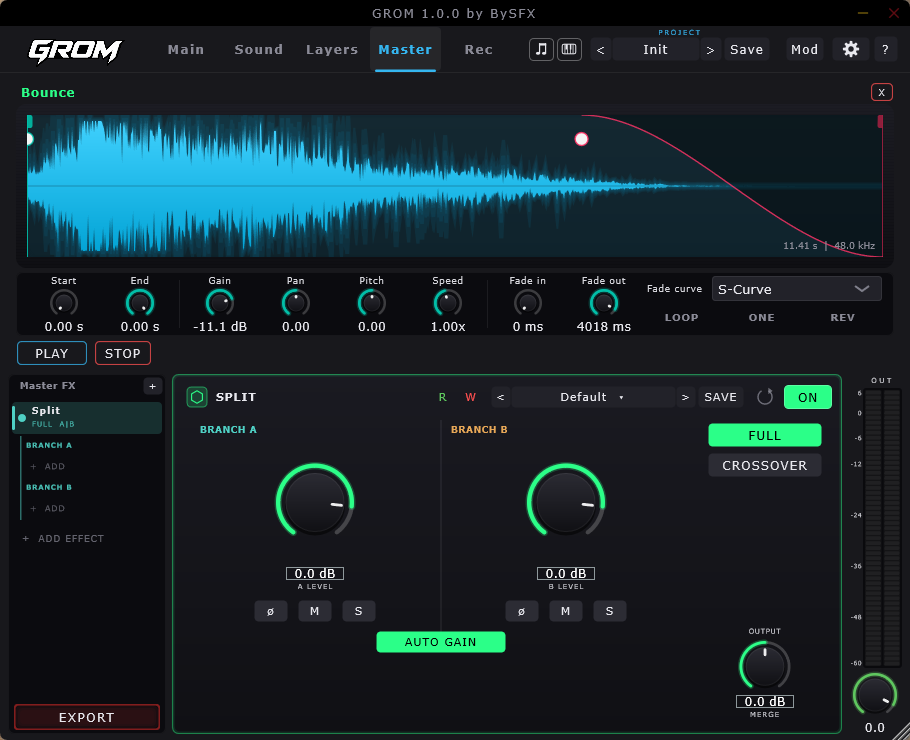
Splits the chain into branch A and branch B, full or crossover, each with its own effects, level, phase, mute and solo, merged back with auto gain.
04
Modulation designer
Make anything move
Two LFOs, a step sequencer and four macros, routed to anything you can turn.
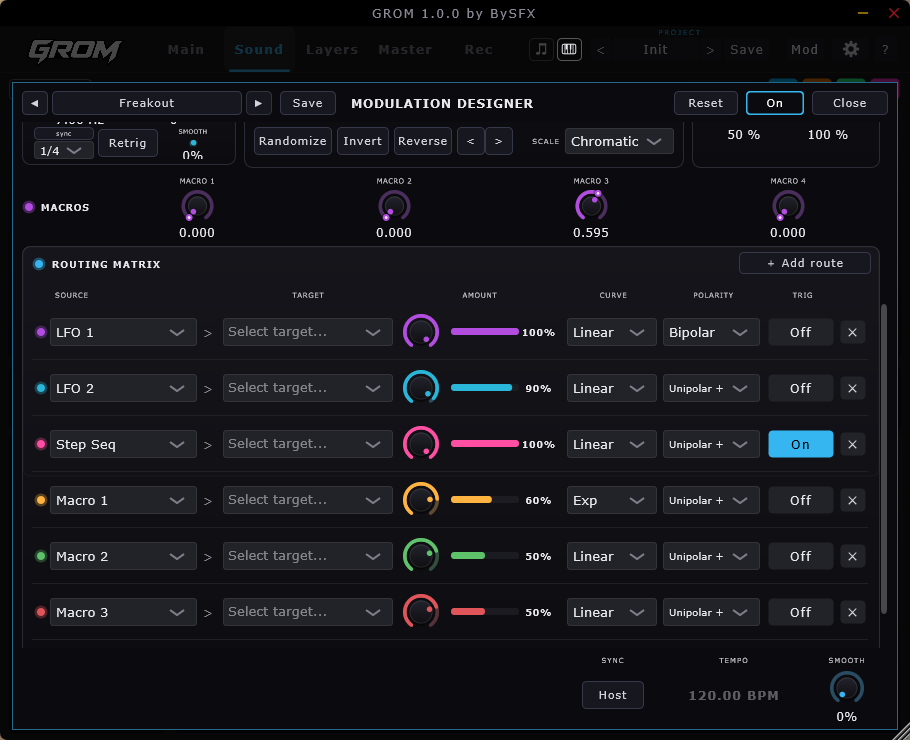
- Every route has its own amount, curve, polarity and trigger
- Add as many routes as the sound needs
- Randomize, invert and reverse in one click
- Syncs to the host tempo
- Its own presets - Chaos Mod and Freakout are two of them
05
Layers
Four layers, one hit
Each layer has its own start and end, gain, pan, pitch, speed, fades and effect rack, and can be cut into parts that move on their own.
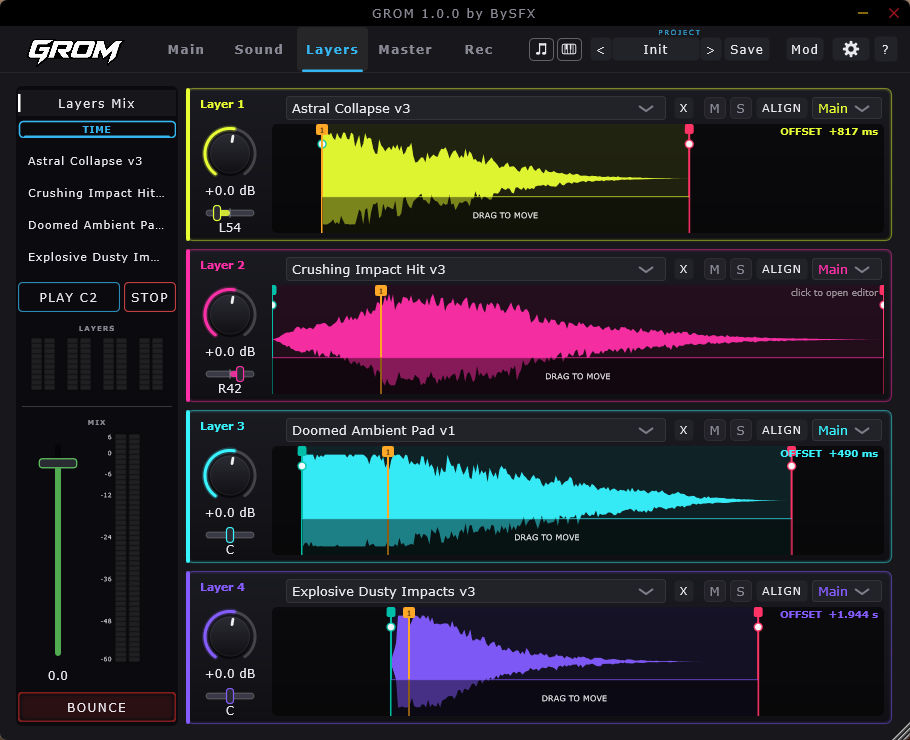
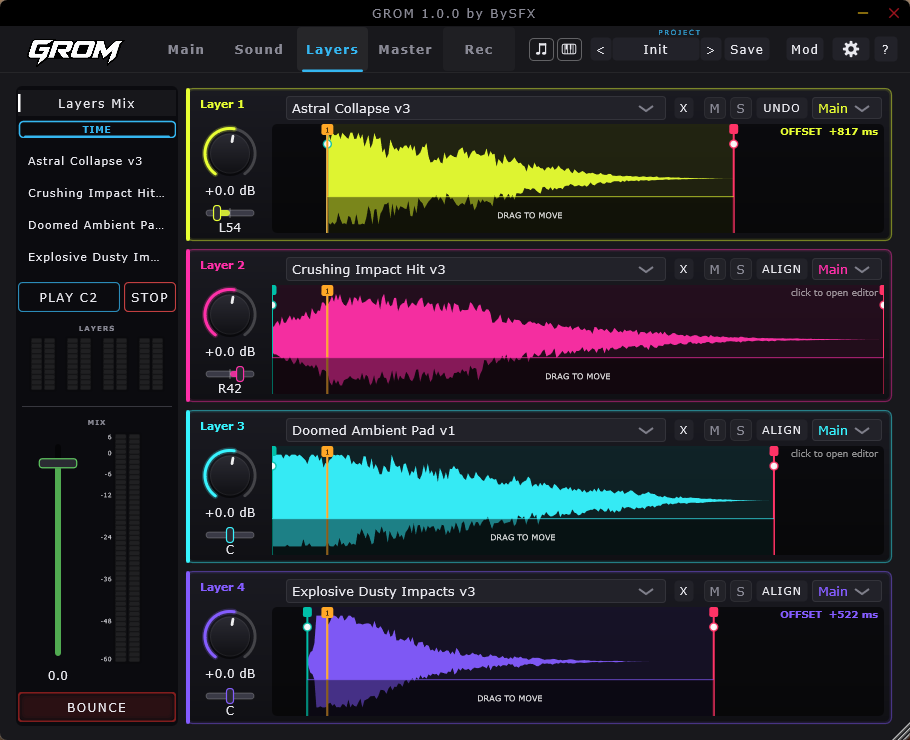
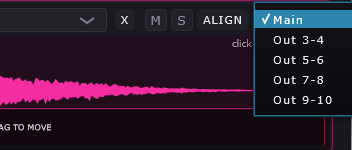
- DRAG TO MOVE - slide a layer in time and read its offset
- Click to open the editor - one layer on its own, full width, with its own effect rack; edit it and go back to the mix
- Gain, pan, mute and solo per layer, with a meter for each and one for the mix
- TIME shows the layers on one real timeline, FIT fits each one to the width
06
Master and export
Finish it, then make it playable
The bounced sound lands on the master page with a full effect rack on the output: EQ, compression, limiting, or SPLIT into two parallel branches.
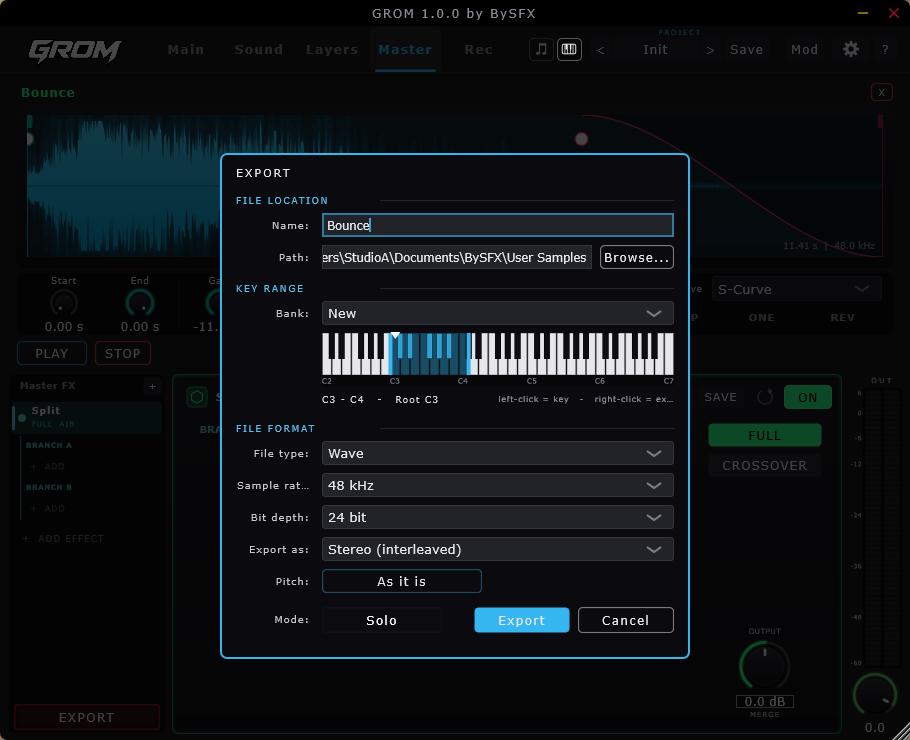
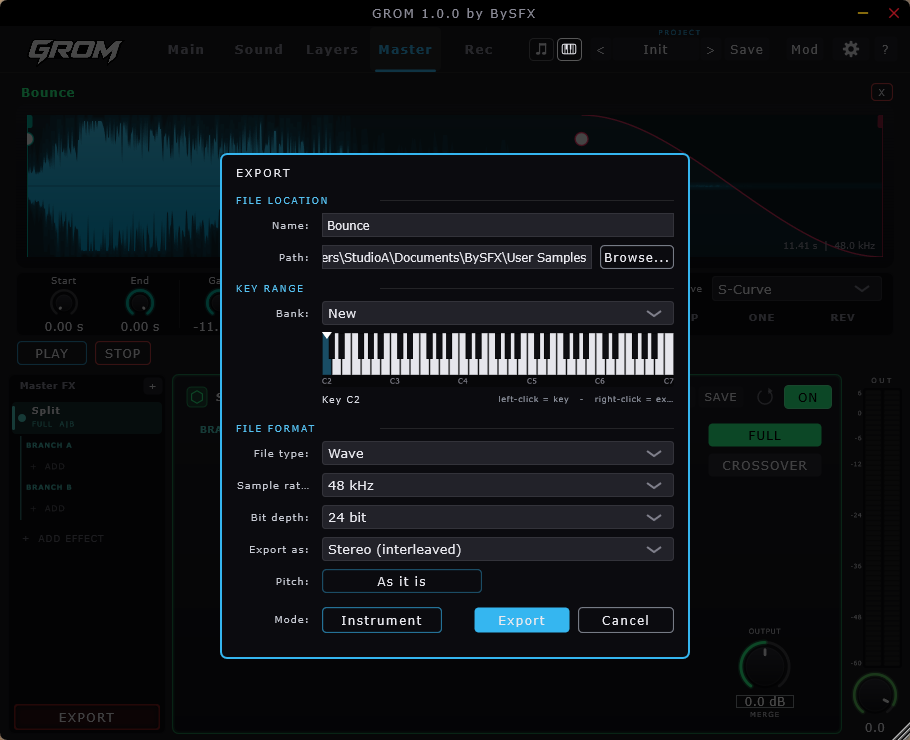
- Name and folder - Browse picks where the file goes; the default is the library GROM reads
- Bank - a new bank or an existing one
- Key range - a zone with a root note, or a range you mark on the keys
- File type - Wave, or MP3 from 128 to 320 kbps
- Sample rate 44.1 to 192 kHz, bit depth 16, 24 or 32
- Export as stereo or mono
- Pitch - As it is keeps the sound as it plays now; At the root key renders it at that key, the same as playing it in instrument mode
07
Record
Record straight into it
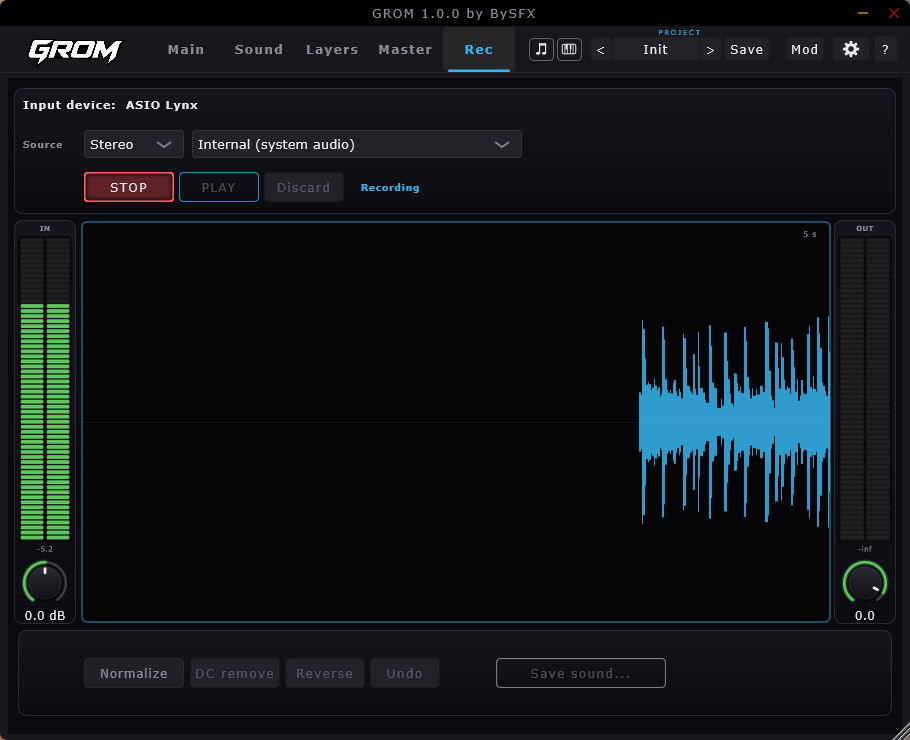
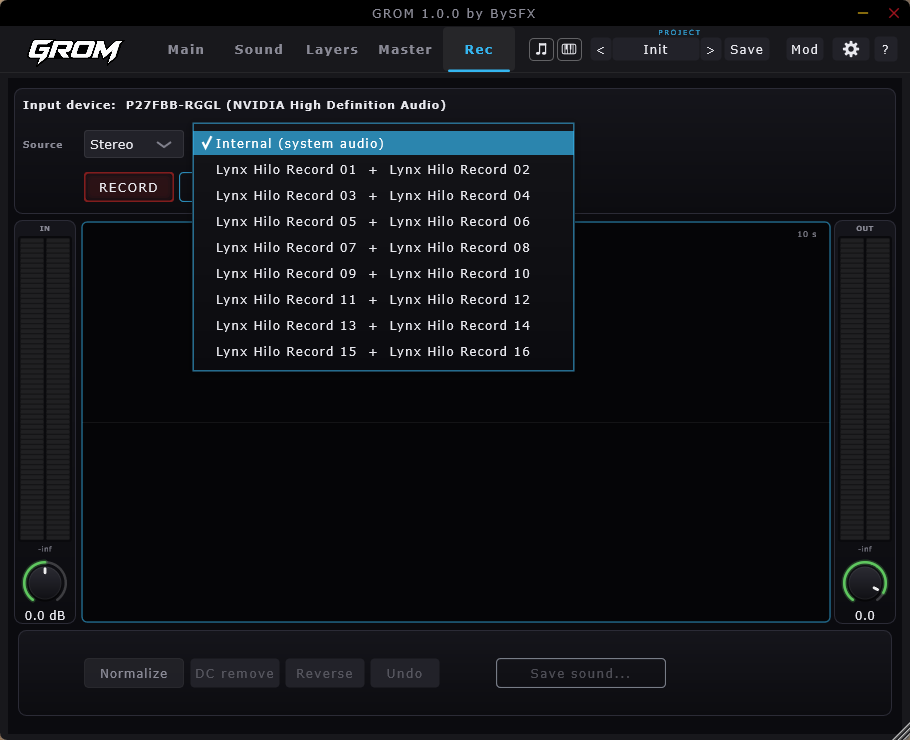
The recorder is made for sampling: up to 10 seconds a take - hits, FX, one shots. Take it from your interface or, on Windows, from whatever the computer is playing, trim it, and Save sound puts it in your library like any other.
Settings
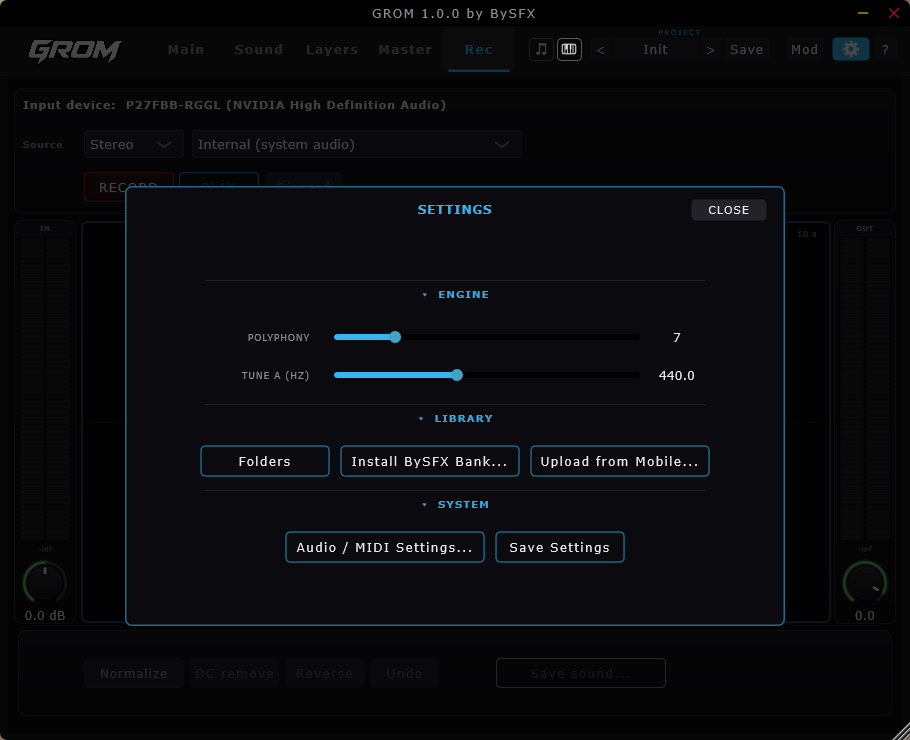
Engine: polyphony and the tuning reference. Library: your sound folders, installing a BySFX bank and uploading from your phone with GROM Rec. System: audio and MIDI setup, and saving your settings.
Install BySFX Bank is only for sound effect banks from bysfx.com - after a purchase there you can also have a custom bank put together. The full version of GROM comes with 30 original BySFX sounds.
If GROM cannot write a file. On Windows, Ransomware protection in Windows Security can stop GROM from writing into Documents; on macOS, allow GROM under Privacy & Security > Files & Folders. GROM tells you when it happens and where to allow it.
08
Works with GROM Rec
 GROM Rec
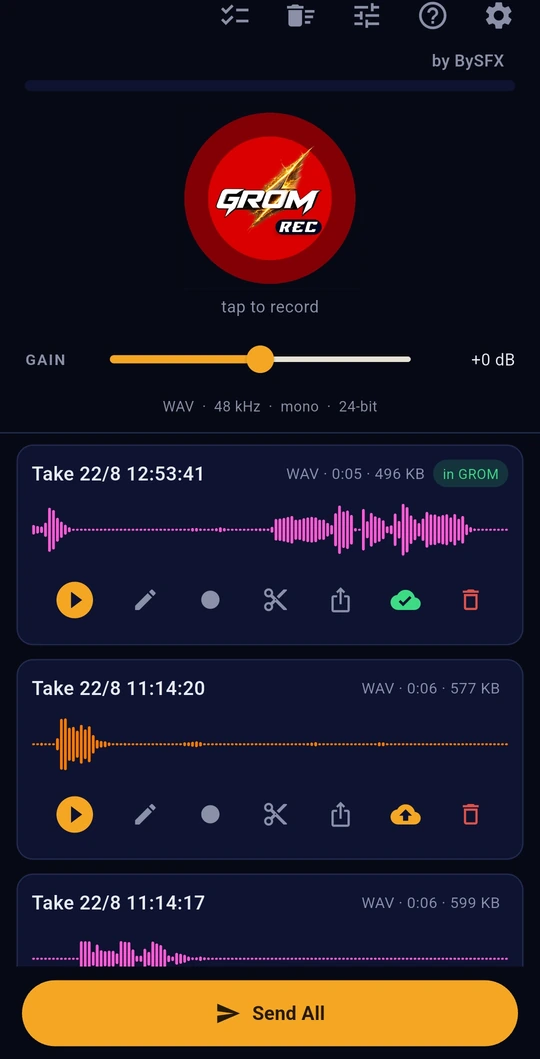
Record on your phone and send the take straight into GROM over your own Wi-Fi. It needs no cable, cloud service or account.


Launching soon for Android and iOS
See GROM Rec →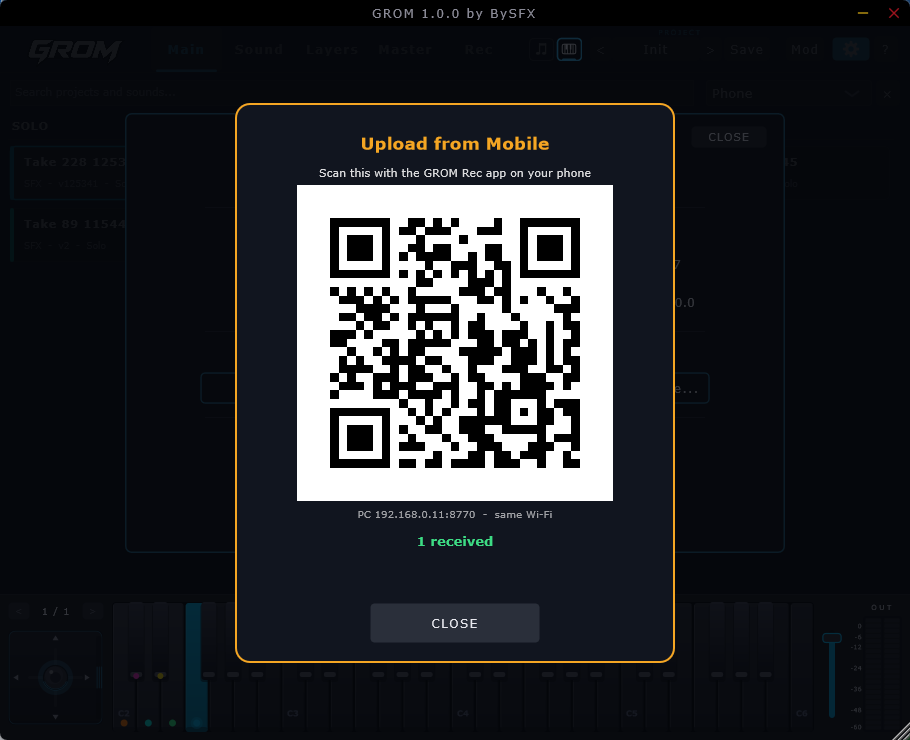
09
Free and licence
Try all of it first
The free version runs every page and every effect in the standalone app, so you can try all of it before you buy.
Free
Desktop version
- Play, layer, modulate, align and bounce - everything works and you hear all of it
- Every effect and every preset to try
- Install BySFX sound banks
- Standalone only - no VST3 or AU
- Your work and your presets are not saved
- No drag and drop
- No export - sounds and bounces are heard, not saved as files
Licence
The full instrument
- Desktop, VST3 and on macOS also AU for your host
- Drag and drop in both directions - sounds in, sounds out to your DAW, Explorer or Finder
- Save projects and your own presets
- Export from the sound page and the master page
- One purchase, no subscription - activate once and it works offline
FAQ
Questions and answers
Is GROM a plugin or a standalone app?
Both: VST3, and on macOS also AU, for your DAW, plus a standalone app, on Windows and macOS.
What does the free version do?
It runs as the standalone app with every page, effect and preset to play with. There is no VST3 or AU, no saving, no drag and drop and no export, which is still enough to hear the quality of the instrument and everything it can do.
"Could not write" when saving or exporting?
On Windows, Windows Security's Ransomware protection stops unknown apps from writing into Documents. Allow GROM under Virus & threat protection > Ransomware protection > Allow an app through Controlled folder access, or move GROM's files out of Documents in Settings > Folders. On macOS, allow GROM in System Settings > Privacy & Security > Files & Folders.
Can I save my own presets and projects?
Yes. With a licence you save your own presets and the projects you have started, and pick up where you left off.
Can I make my own sound banks?
No. Sound banks come only from BySFX, where we make and sell our own royalty-free sound effects and music. You add one in Settings > Install BySFX Bank, even in the free version.
How do I get sounds from my phone into GROM?
With GROM Rec, which is free: record in the field, scan the QR code in GROM once, and send your takes over Wi-Fi.
GROM
Coming soon for Windows and macOS
Want to know the moment it opens? Write to support@bysfx.com.
- Windows 10 / 11, 64-bit
- macOS 11 or later, Apple silicon and Intel
- VST3, AU on macOS, or the standalone
- About 200 MB of disk space
- Internet once, for activation